

To launch H*Wind over the Web, the following requirements are needed:
- Java version 1.7 (also known as Java SE 7) - must be installed on your system
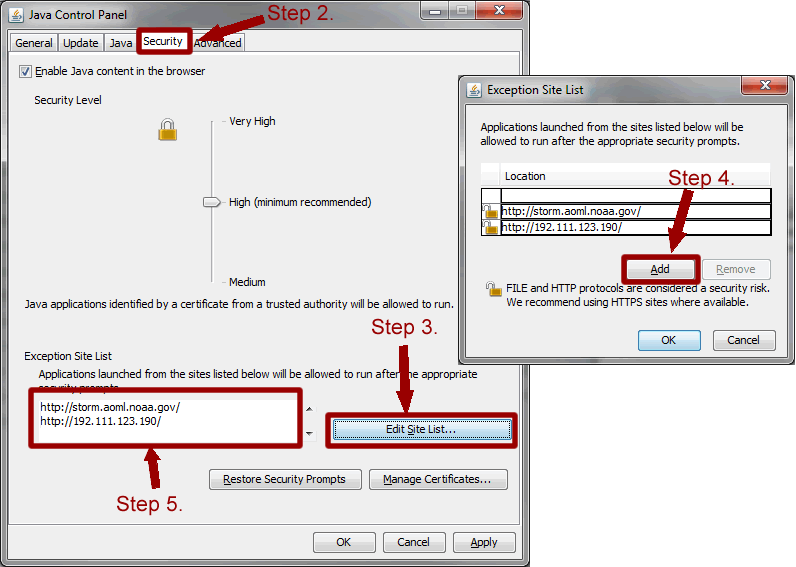
- A recent update to Java requires that the following steps be taken to run H*WIND. Please refer to this image.
- Locate the Java Control Panel in your "System Preferences" for MAC or "Control Panel" for PC.
- Locate and Click on the "Security" tab.
- Click "Edit Site List".
- Click "Add" and when prompted enter "http://192.111.123.190" and click Okay.
- Verify that the http web address shows up in the "Exception Site List".
Launch H*WIND6 Application (Stand-alone) -
To run this application, you must save the given file onto your machine, and open it with Java Web Start..
Disclaimer